
Recently, a customer contacted me with an issue in D365 Sales. When users were adding a product to an opportunity, they could only select one unit from the Unit field. They expected to see multiple units, but only one option was available.
Solution
After investigating the issue, I found that the problem was not with the opportunity or the product. It was related to the Price List Items.
The Problem
The product had multiple units defined in its Unit Group, but the associated Price List contained a price list item for only one unit.
For example:
Let’s say we have a Office Chair Product and we have following units for setup:
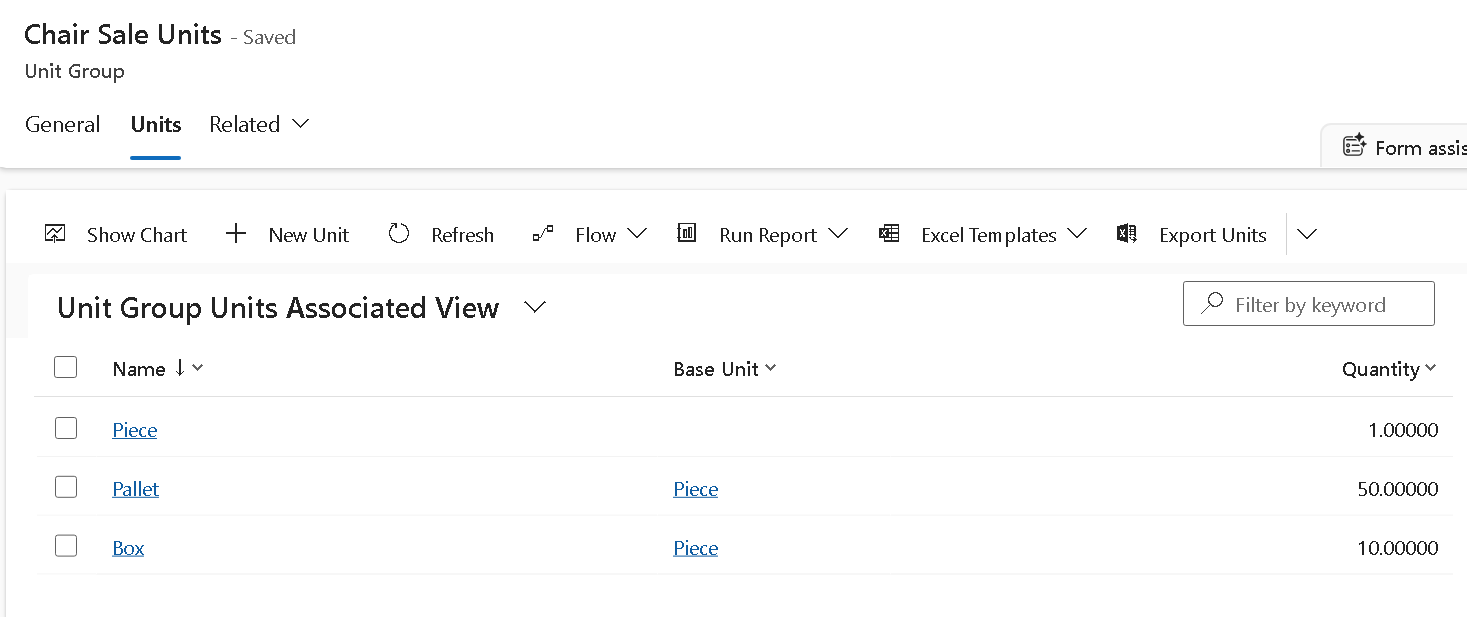
While setting up pricelist for this product let’s say following pricelist item created:
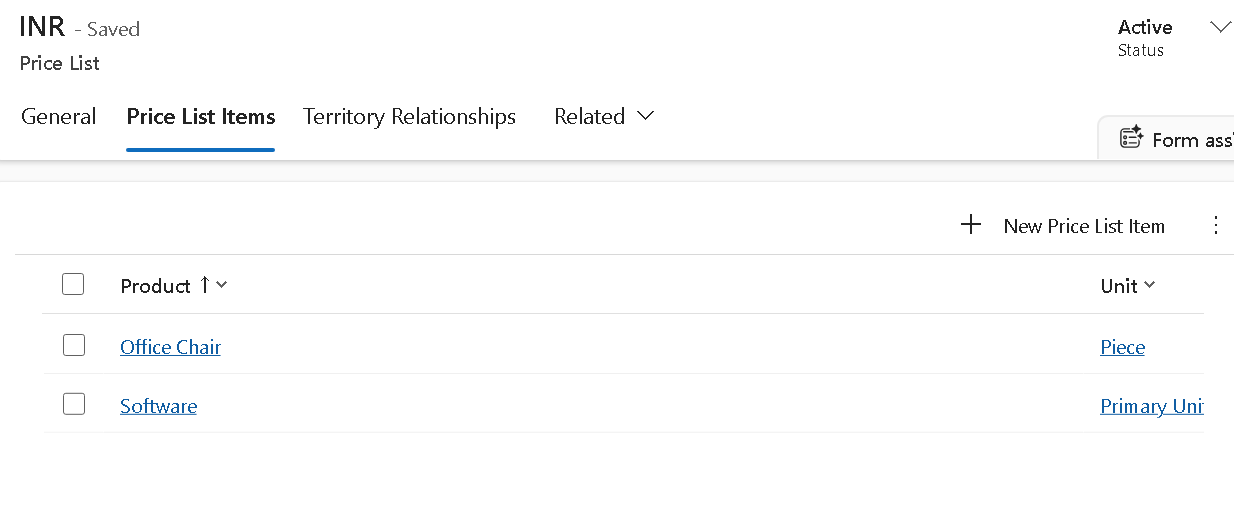
In D365 Sales, the Unit options shown on an opportunity product are not taken only from the product’s Unit Group. They are also filtered by the Price List Item records. If a Price List does not contain a price list item for a specific unit, that unit will not be available for selection.
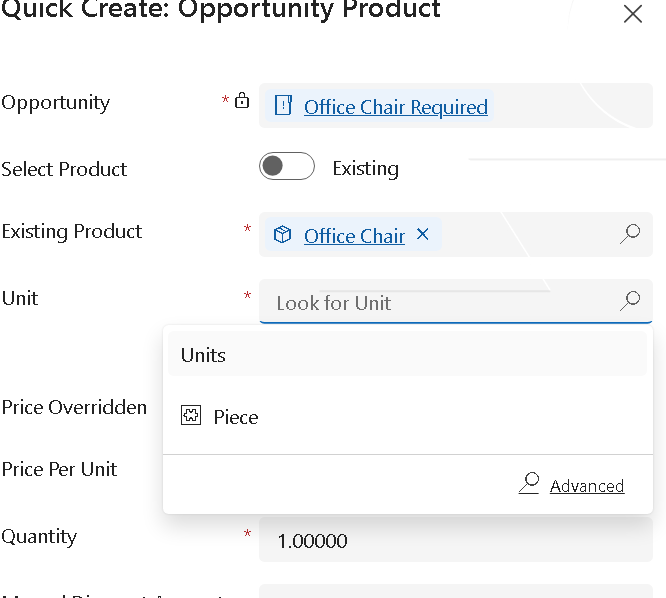
Now as we have only configured pricelist item for Piece unit for office chair while adding product in the opportunity product we will only see this unit like below:
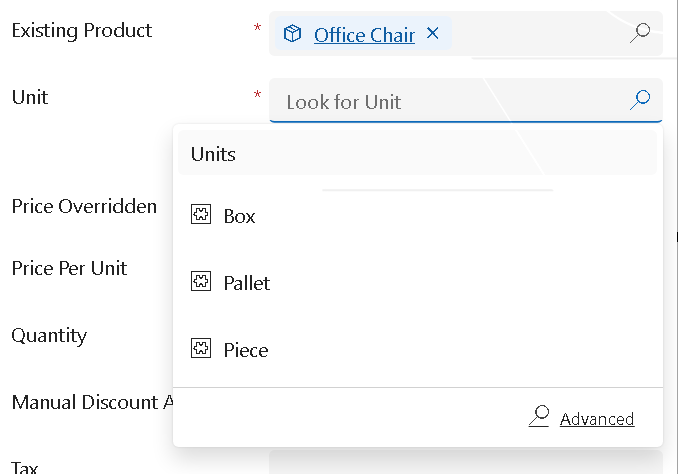
So if we want to sell office chair in different unit we have to configure pricelist item using all the possible units, after that we should be able to select different units based on the setup like below:
Summary
This was a simple configuration issue, but it can be confusing because the product appears to support multiple units. If your users report that only one unit is available while adding products to opportunities, the first place to check is the Price List Items.
Hope it will help someone!!
Keep learning and Keep Sharing!!