
In D365CE the Price List entity is an organization owned entity. This means that price lists are not owned by individual users or business units. Because of this ownership model, we can’t control visibility of using standard security roles. By default, all users in the organization can view all price lists, regardless of their business unit or role.
Recently, I encountered a business requirement where users should be able to see only those price lists that are relevant to their own Business Unit. The expectation was that users from different business units should not have visibility into each other’s price lists. Since this requirement could not be achieved using out-of-the-box security features, I implemented a RetrieveMultiple plugin on the Price List entity. This plugin dynamically filters the price list records at runtime based on the current user’s Business Unit, ensuring that users only see the price lists they are allowed to access.
To implement this I need to know name of the current user BU. One important point to consider is that we should not retrieve BU name using RetrieveMultiple plugin because it can trigger the same plugin again. This can result in an infinite loop. To avoid this, I used plugin configuration to pass this information.
if (context.MessageName != "RetrieveMultiple"||
context.PrimaryEntityName != "pricelevel")
return;

        DK_PricelistId = GetStringValue(_unsecureConfig, "DK");

        if (!context.InputParameters.Contains("Query")) return;
var query = context.InputParameters["Query"];

            if (query is QueryExpression qe)
            {
                qe.Criteria.AddCondition("pricelevelid", ConditionOperator.Equal,DK_PricelistId);
            }
            else if (query is FetchExpression fe)
            {
                fe.Query = AddConditionToFetchXML(fe.Query, "pricelevelid", new Guid(DK_PricelistId).ToString());
            }
To add condition in FetchXML we can use below method:
private string AddConditionToFetchXML(string fetchXml, string attribute, string value)
        {
            var doc = XDocument.Parse(fetchXml);

            var entity = doc.Root?.Element("entity");
            if (entity == null)
                return fetchXml;

            var filter = entity.Element("filter");

           if (filter == null)
            {
                filter = new XElement("filter", new XAttribute("type", "and"));
                entity.Add(filter);
            }
            filter.Add(
                new XElement("condition",
                    new XAttribute("attribute", attribute),
                    new XAttribute("operator", "eq"),
                    new XAttribute("value", value)
                )
            );

            return doc.ToString();
        }
We can register this plugin on pre operation for pricelist entity and can pass configuration data like below under Unsecure Configuration. It will filtered pricelist based on the user BU.
<configuration>
<setting name="DK" value="86ca00df-ea0e-f011-9989-7c1e522a0c38"/>
</configuration>
Once this logic is applied it will filter result like below:
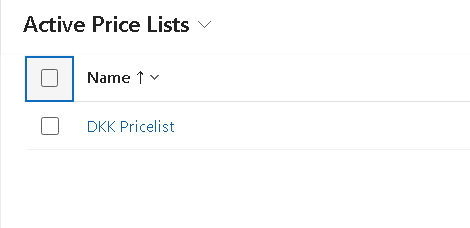
While moving this to another environment we can update GUID.
Summary
This is how we can use RetrieveMultiple plugin to filter query to modify result on views.
Hope it will help someone!!
Keep learning and Keep Sharing!!