
Recently, while setting up a new organization, I needed to import an old flow package. However, during the import process, I encountered the following error.
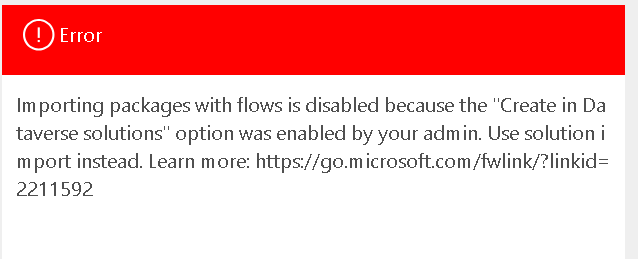
If you have similar requirement you can use following steps to fix this issue easily.
- Make sure you have admin rights to this environment.
- Navigate to admin.powerplatform.com
- Select Manage -> Environments and then select your environment (where you want to import this package)
- Click on Settings
- Select Features under Product from Settings page
- Search below options in the page
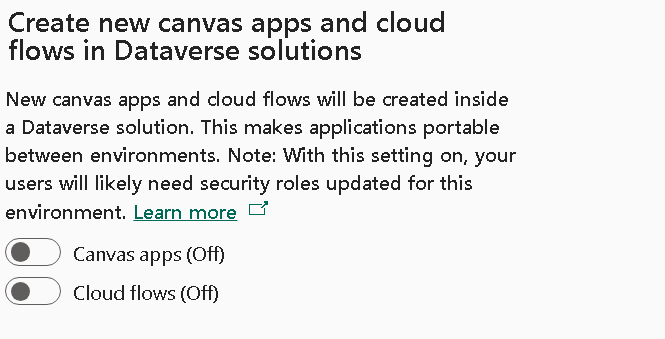
6. On second options (Cloud flows)
7. Retry to import your package, you should be able to import it now.
Summary
If you get the error: “Importing packages with flows is disabled” you can easily fix this from Power Platform admin center.
Hope it will help someone!!
Keep learning and Keep Sharing!!