Planning a birthday party or any special event involves multiple decisions, from selecting the right theme to finding decorations, activities and products within a budget. Customers often spend considerable time searching for suitable products, comparing prices, and organizing everything according to their preferences. Traditional product catalogs provide information but they don’t always offer personalized recommendations or a complete event plan…. Read more »
Do you want to display an AI-generated summary on a web page in Power Pages? If yes, this article will help you understand how to implement this feature step by step. Scenario Let’s consider an example. We have an Event table (a custom table) in Dataverse that we use in Power Pages. Our Power Pages website has an Event List… Read more »
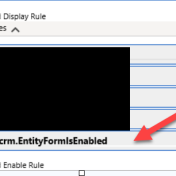
Introduction In Model driven apps, we sometimes need to show or hide a button on a subgrid based on the status of the parent record. For example, we have an Account entity and a related Contact entity. Users can add contract lines from a subgrid on the Contract form. Our requirement is simple: We can achieve this by writing a… Read more »
Recently, a customer contacted me with an issue in D365 Sales. When users were adding a product to an opportunity, they could only select one unit from the Unit field. They expected to see multiple units, but only one option was available. Solution After investigating the issue, I found that the problem was not with the opportunity or the product…. Read more »
Recently, while setting up a new organization, I needed to import an old flow package. However, during the import process, I encountered the following error. If you have similar requirement you can use following steps to fix this issue easily. 6. On second options (Cloud flows) 7. Retry to import your package, you should be able to import it now…. Read more »
In D365CE the Price List entity is an organization owned entity. This means that price lists are not owned by individual users or business units. Because of this ownership model, we can’t control visibility of using standard security roles. By default, all users in the organization can view all price lists, regardless of their business unit or role. Recently, I… Read more »
Requirement Recently, We worked on an interesting requirement in Dynamics 365 CE Sales app where the customer wanted to close an Opportunity as WON directly when the user clicks the final stage in the Business Process Flow (BPF). However, the requirement was not as simple as just closing the Opportunity.There were a few important business validations that we had to… Read more »
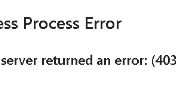
Recently, while working with the Field Service app, we ran into a strange issue. Every time we tried to create a new Account with address information, the system threw an error: At first, this message didn’t tell us much as this is generic message. A “403 Forbidden” usually means something is blocked or not authorized, but I was using Sys… Read more »
Requirement Modern business applications demand automation, whether it is a heavy data driven model drive app or light weight canvas app. Microsoft Power Automate makes it easy to streamline workflows directly within the Microsoft ecosystem. Let’s say we want to run Power Automate on demand for some particular record just like we can run classical workflow by setting it run… Read more »
Requirement Power Pages provides a flexible platform to build low-code, externally facing web applications on top of Dataverse. A common requirement in Power Pages applications is to perform operations on Dataverse records for example update a record using custom button. This is useful when we want to update related table record. In this blog, I’ll walk you through how to… Read more »