Requirement Implementing Gallery data filtering using radio button. Details let’s say we have requirement to filter gallery data based on the selection of the radio button like below To implement filter, I am using collection here and Dataverse Account entity as data source where I have records of different types (using Relationship Type attribute for customer category) so first let’s… Read more »
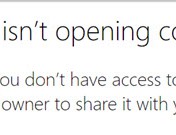
Problem Getting Error while opening Canvas app embedded in model driven form. Solution Recently we faced following error while trying to open canvas app. Earlier this app was working fine and this error occurred after new changes deployed to this environment. Based on the error message, I started troubleshooting it and checked ID of the user and verified if this… Read more »
Problem While working with Switch control in Power Automate, if the field used in the switch control is blank we will get this error:- “It is of type ‘Null’ but is expected to be a value of type ‘String, Integer” I am going to share one possible way of handling which I used, if you have a better way please… Read more »
Requirement Create appointments for customers using Canvas app and display existing appointments in gallery control. Details We are going to create a sample canvas app where we will have two screen in first screen we will be displaying existing appointments and we will use second screen to create new appointment so let see how we can do that. You need… Read more »
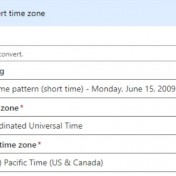
Problem Recently while working on Power Automate to send notification if custom activity record is completed before 15 day but still invoicing is not done yet, I was facing time zone issue while comparing date. I will provide details how I sold this issue. Solution Initially I started creating my flow where I used Recurrence and fetched my entity records… Read more »
Introduction In earlier article we discussed about how updating entity from canvas app using Power Automate. This process is works fine if you don’t want to update current entity because executing Flow will take some time and you won’t be able to see the changes quickly so in this post we are going to discuss other option to update entity… Read more »
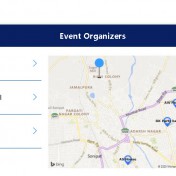
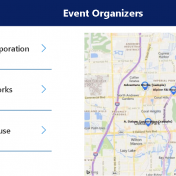
Introduction This is second article about using Bing maps in Canvas app. In the first article we discussed about how we can show event organizer data in the gallery control and render them in the Bing maps. In this article we are going to show event as well as event organization details in Bing maps. Details In last app we… Read more »
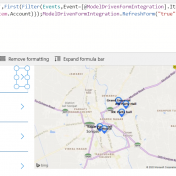
Introduction Sometime back I wrote Show child accounts on Bing Maps using client side code, today in this this article I will be discussing how we can show Bing maps in Canvas app and embed it in Model driven app. In this sample app we are going to show Event organizers on the Bing maps and it will look like… Read more »
Requirement While working on the Canvas app sometime we want to get user details like name, email or other details. We can use this details depending on the requirement. Today we are going to discuss how we can fetch user details using 3 ways. Details This article assume you basic knowledge of Canvas app, if you are new to Canvas… Read more »
Introduction Sometime we required to get full path of the image which we have uploaded to Share Point document for specific entity. In this article I am going to demonstrate how Microsoft Flow can be used to implement this requirement. Feel free to comment if there is another easy of doing this. This article is assuming you have basic understanding… Read more »