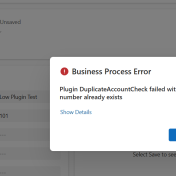
Normally, writing a plug-in is a requirement when working on any Dynamics 365 CE implementation. The number of plug-ins written depends on the complexity of the implementation. In the early days, before the citizen developer era 🙂 , writing a plug-in required .NET knowledge. But now, even citizen developers can write plug-ins without any .NET knowledge and that what we… Read more »
Details Sometimes we have requirement to open entity form or I will say refresh complete form from a custom dialog. Normally while we want to refresh complete form, we use Xrm.Navigation.openForm to open entity form. We can use following code to open entity form. In above code we can pass entity name and entity id, it will open entity records,… Read more »
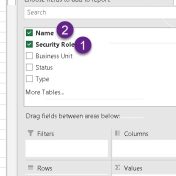
Requirement Occasionally we need to generate report for the User and their security role for the different purpose. In this post I am going to share quick steps to get this report. Solution Although we have one out of the box report available called “User Summary” report which we can access from reports area if you have or from Advanced… Read more »
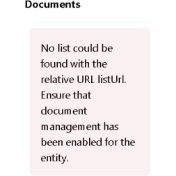
Problem Recently while setting SharePoint integration in Power Pages we faced below issue. Solution Recently while setting up Document integration in Power Pages for Customer form, we configured all the actions required for the integration. SharePoint integration was already working fine in Sales app. After verifying configuration steps when tried to look in to Power Pages, we got above error…. Read more »
Requirement A very common requirement I see many times where CE developer need to auto populate party list or other field on the email form at the time of create. This post will provide sample code which for the same. Details Let’s say we are working on the quote entity and when we will create email from quote entity using… Read more »
Are you wondering why View Hierarchy button is not visible? if yes then this post will help you. Recently while checking latest threads on Dynamics 365 CE forum, I found one question regarding this. I am was also not aware of such announcement so I thought of checking it myself. I know it was visible by default in account so… Read more »
Requirement Create attachment in Dynamics 365 CE from the stream which will be available in MultipartContent response. Details Let’s say are getting MultipartContent in HttpResponse. This response contains stream which we want to use to create and attach pdf file in notes. We can use following code: The code first checks if the HTTP response is not null and if… Read more »
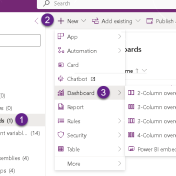
Introduction In today’s data-driven world, integrating powerful analytics tools like Power BI with your Dynamics 365 CE can significantly enhance decision-making processes. Embedding Power BI reports directly into Dynamics 365 CE as system dashboards provides seamless access to actionable insights without leaving the CE interface. This article will guide you through embedding a Power BI report as a system dashboard… Read more »
Introduction Copilot in Dynamics 365 Customer Engagement (CE) is a powerful feature that assists users in various tasks, from data entry to suggesting relevant actions. However, there may be instances where you need to disable Copilot features for specific environment. In this guide, we’ll walk you through the process of disabling Copilot in Dynamics 365 CE, ensuring a smoother user… Read more »
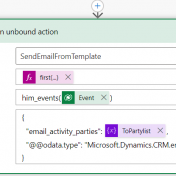
Introduction While working on Dynamics 365 CE we often need to streamline communication processes using Power Automate. While we want to send emails to our customer, one effective way to do this is by using email templates. Email templates streamline the communication process by providing users with a standardized framework for creating emails, ensuring brand consistency and saving time. These… Read more »